2026.09.14
News
INI's "You Know What To Do" LINE takeover campaign has been announced!
Set "You Know What To Do" the title track from INI's 9th single "ANTHEM," as your LINE call ringtone, call tone, LINE profile background music, or chat background music, and 100 lucky winners will be randomly selected to receive an INI name sticker!
Please read the following notes carefully before applying.
*When applying, you will need to provide screenshots showing that you have set "You Know What To Do" for all four of the following items.
▶︎LINE call ringtone / LINE call ringtone / LINE profile BGM / Talk BGM
【Application period】
Monday, September 14, 2026 14:00 to Sunday, September 20, 2026 23:59
*You cannot apply outside the above application period.
*Depending on the time of day (especially as the deadline approaches), it may be difficult to access the application screen. Please apply well in advance.
[Target songs]
INI「You Know What To Do」
https://music.line.me/launch?target=album&item=mb0000000005b39e0e&cc=JP&v=1
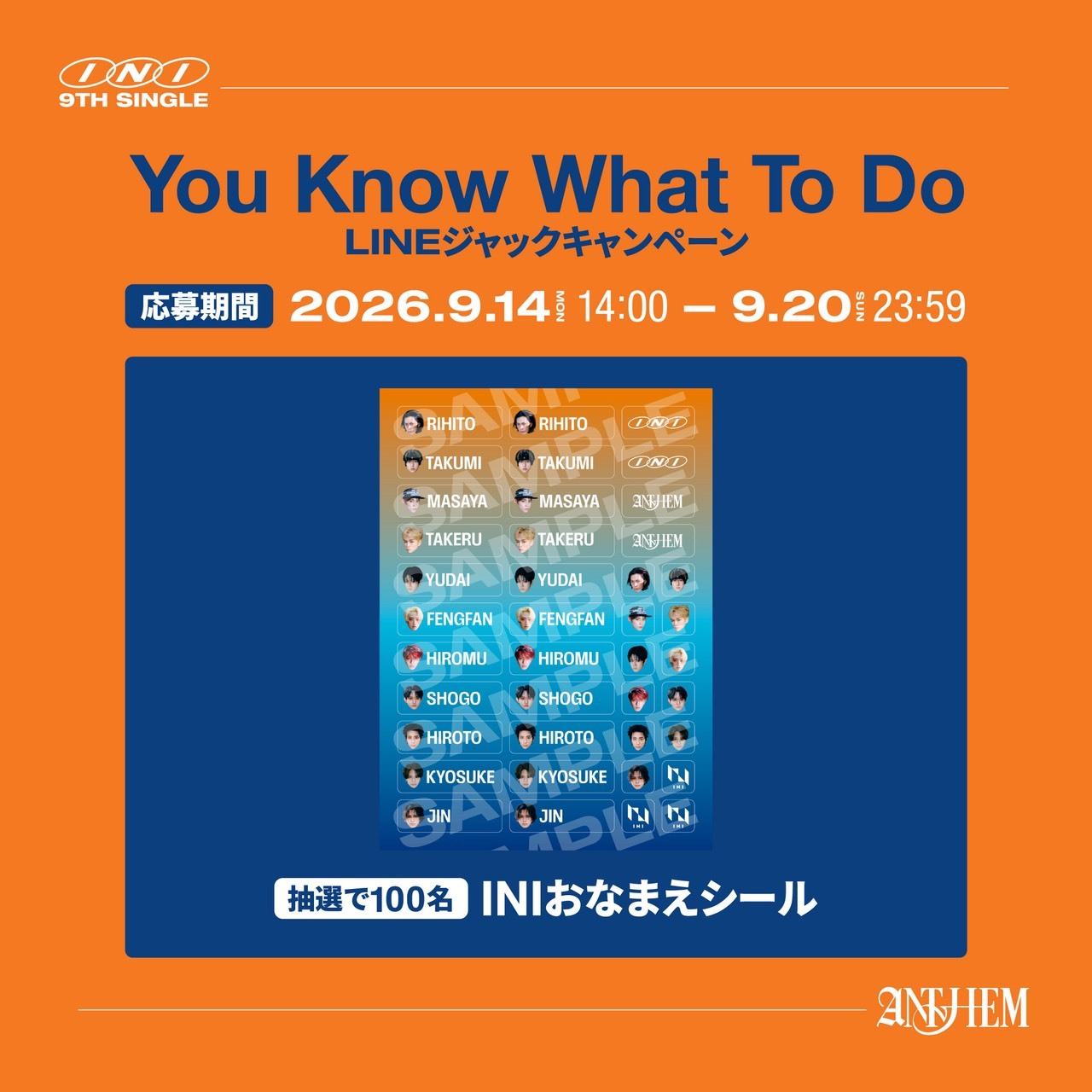
[Bonus]
100 winners will be selected by lottery: INI name stickers
*Winner announcement will be replaced by shipping of prizes.
*Please note that we cannot respond to any inquiries regarding winning or losing.
*Please note that we only ship within Japan.
*If your address, postal code, phone number, etc. are incorrect, we may not be able to ship your prize. Please enter correctly.
*Prize contents are subject to change without notice. Please note.
【Application method】
[STEP 1]
Please make sure to install "LINE" and "LINE MUSIC" or update to the latest version.
*Click here to install “LINE MUSIC”
[STEP 2]
Log in to LINE MUSIC and play INI's "You Know What To Do" which is currently available for streaming.
[STEP 3]
■For LINE ringtones (ringtones/call tones)... Tap LINE ringtone, and set the INI "You Know What To Do" as your ringtone or call tone.
*Setting LINE ringtones (incoming calls/call tones) requires a subscription to LINE MUSIC or LYP Premium. Click here for details.
*Please refer to this page for instructions on how to set LINE ringtones (incoming call tones/call sounds).
■For background music in chats...On the LINE [Chat] page, tap the [≡] mark, then tap [BGM], and set the INI "You Know What To Do" from LINE MUSIC.
*Click here for instructions on how to set the BGM.
■For profile background music…On the LINE Home page, tap Set BGM and select the INI "You Know What To Do" from LINE MUSIC.
*Click here for instructions on how to set the BGM.
*LINE profile BGM can be set even if you are a free LINE MUSIC user, but if you want to set it more than once within a month or play a song for more than 31 seconds on the LINE MUSIC app, you will need to register for a plan with LINE MUSIC.
Click here to register for LINE MUSIC plan
[STEP 4]
Please take a screenshot of the screen you set up and apply using the application form below, specifying the required information.
【Application Form】
https://form.universal-music.co.jp/bgm_ini_youknowwhattodo/page/index.html
*If it is difficult to access, please allow some time before accessing.
<Notes>
* Only one application per person will be accepted.
* If there is false information in the application or registration details, the application qualification / winning qualification may be canceled and the campaign may not be applied.
*When shipping prizes, Universal Music LLC and LAPONE ENTERTAINMENT will mutually use the information (including personal information) obtained during registration. Please be aware of this in advance.
* If you are a minor, please apply after obtaining the consent of your guardian. If you apply, we will assume that you have applied with the consent of your guardian.
* Please be careful not to make any mistakes as the registered information cannot be changed after the application is completed.
*If you have set up email refusal or domain-specific reception, please make sure you are able to receive emails from [@jp.umusic-online.com], [@mail.universal-music.co.jp], and [@umusic.com].
*Please read and understand the application details and notes listed on this site carefully before applying.
<Personal information protection/management policy>
* Personal information about applicants obtained this time will be handled based on the personal information protection policy of Universal Music LLC. Please check the personal information protection policy of Universal Music LLC from the link below.
https://www.universal-music.co.jp/privacy-policy/
<Inquiries>
Universal Music Customer Service Center
TEL 0570-044-088 Monday to Friday 10:00 to 18:00 (excluding public holidays)